
Find a Machine | Photo Printing | By the VendingFinder Team | September 2026
You have thousands of photographs on your phone and almost none of them exist as objects. They sit in an album, occasionally get looked at, and that is the end of it.
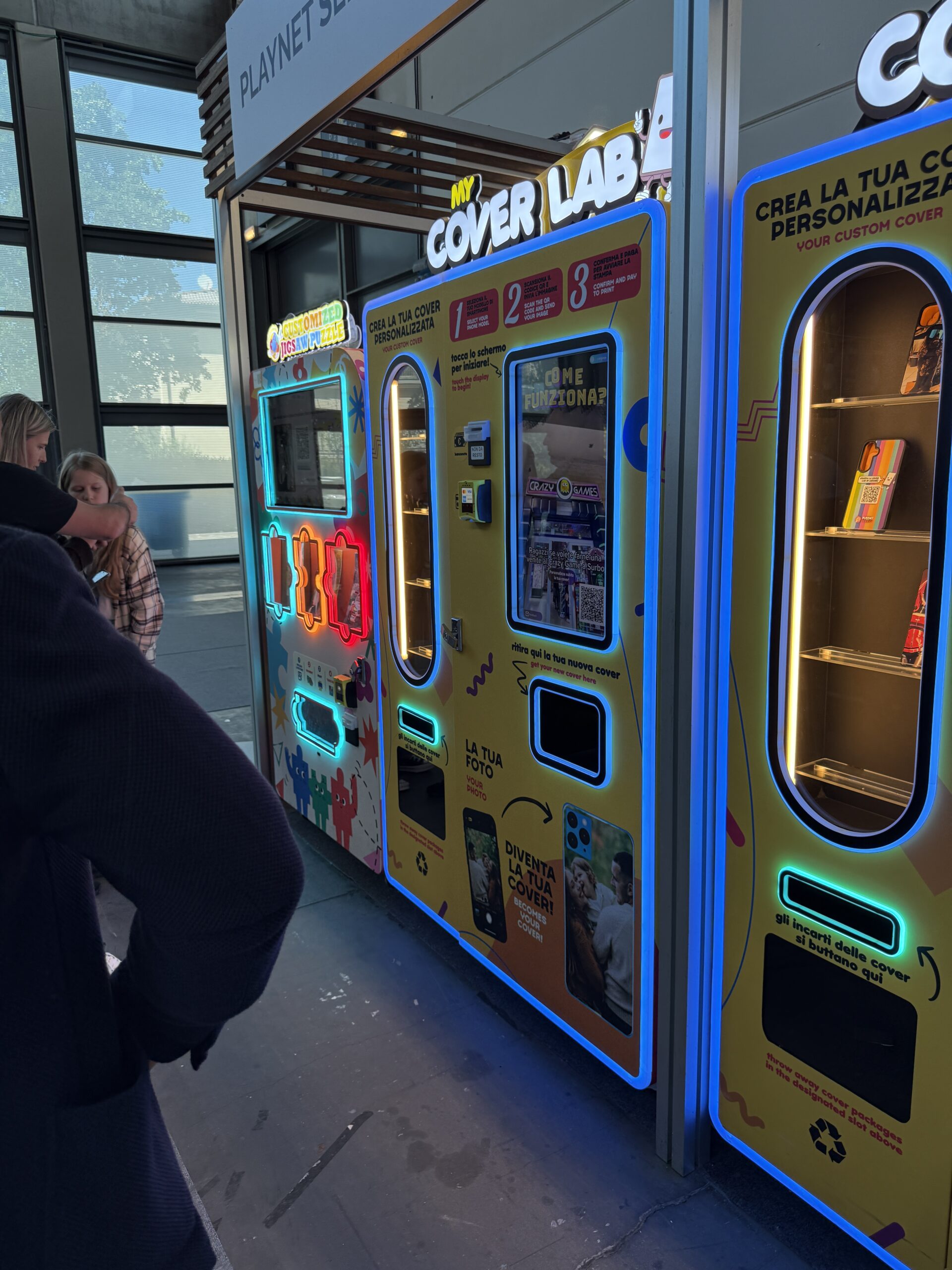
There is a category of machine that fixes that in about five minutes while you stand there. You scan a code, pick a photo from the phone already in your hand, crop it on screen, pay, and the machine prints it onto a real object and hands it to you. A jigsaw puzzle, a phone case, a photo block, a keyring.
They are excellent, most people have never used one, and they are genuinely awkward to find deliberately. Here is how, and what to know before you go.
What They Actually Make
- Jigsaw puzzles. Your photo as a puzzle, usually a few hundred pieces. The best gift of the lot and the one most people do not realise exists.
- Phone cases. The most common. Check the machine covers your handset before you start, because this is where people get caught out.
- Photo blocks and framed prints. A photograph as a standing object rather than something in an album.
- Keyrings and small tokens. The cheapest option and a good way to try the machine before committing to something larger.
- Mugs, luggage tags and similar. Less common, and worth checking a listing rather than assuming.
A useful thing to know is that these machines are essentially printers, so what a particular one makes depends entirely on what it has been loaded with. Two machines that look identical can produce completely different things, which is why it is worth checking before travelling.
Where They Are
These go where people wait, because printing takes several minutes. That single fact makes them far more predictable to find than most vending.
- Attractions, zoos and aquariums. The most likely place, usually near the exit or beside the gift shop. Also the best place to use one, since you have just taken the photos.
- Shopping malls. Near food courts and seating areas rather than by the entrances.
- Airports, past security. In gate areas where people have a known wait.
- Cinemas. Lobbies, and worth a look while waiting for a screening.
- Theme parks and family entertainment centres. Frequently beside queues, which is exactly the right place for them.
- University campuses. Student unions and busy buildings.
- Events and conventions. Often temporary, and worth catching while they are there.
The rule that finds them: look wherever a venue makes people wait. Queues, lobbies, seating areas and exits. Operators put them there deliberately because the print time only works when somebody has nothing else to do, and that logic holds almost everywhere.
Finding One Before You Travel
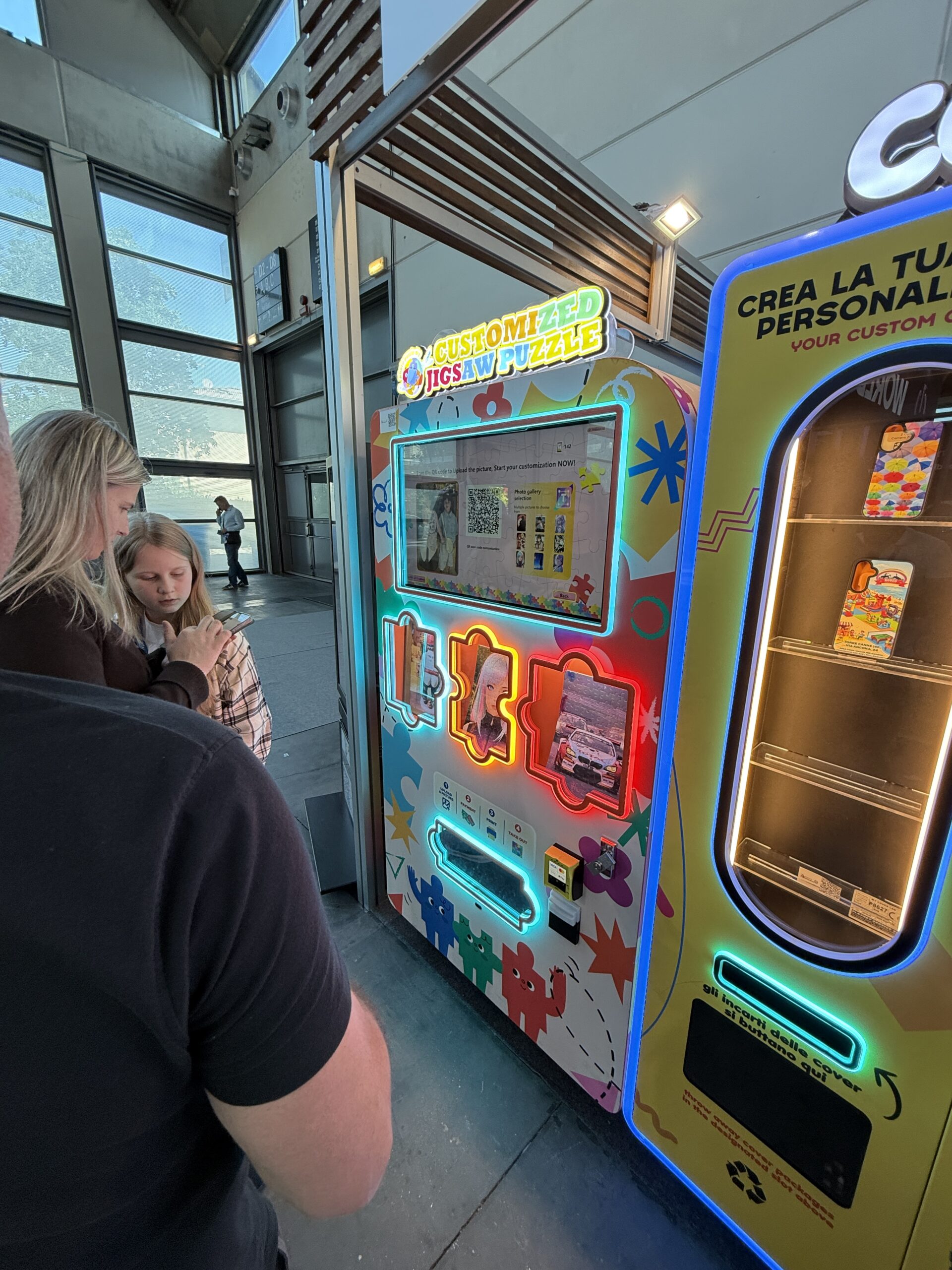
- Check the map. Our live machine map tracks machines individually, which matters because these sit inside other venues and have no listing of their own.
- Check what it makes. Each machine page records the products and where the machine sits inside the building, which saves the wasted trip of arriving to find a case machine when you wanted a puzzle.
- Try several search terms. Photo printing machine, custom phone case machine, personalised puzzle machine and print on demand vending all describe overlapping things.
- Search social media by location. People film the reveal moment constantly, and a tagged video is often the only public record that a machine exists somewhere.
- Ask the venue. Staff at an attraction or mall will know immediately, and for theme parks the app or map sometimes lists them.
Before You Start, Four Things
A few minutes of preparation makes an enormous difference to what you get, and almost nobody does any of it.
- Pick the photo in advance. Scrolling through four thousand images while somebody waits behind you is the single most common source of stress at these machines. Decide before you scan.
- Use the highest quality version you have. This matters more than anything else. A screenshot, a picture saved from a messaging app or an image someone forwarded you has usually been compressed and will print soft. The original from your camera roll is always better.
- Think about the crop. A puzzle is roughly rectangular and a phone case is tall and narrow. A group photo will lose its edges on a case, and faces near the border tend to get cut. Choose an image with room around the subject.
- Check you have signal. The upload runs on your phone’s data connection, so a basement or a thick walled building can stop the whole thing. Worth checking before you pay.
The resolution point is worth repeating because it causes most disappointment. These machines print exactly what you give them, so a blurry source produces a blurry product and the machine is not at fault. If your phone warns that an image is low quality, believe it.
What Happens at the Machine
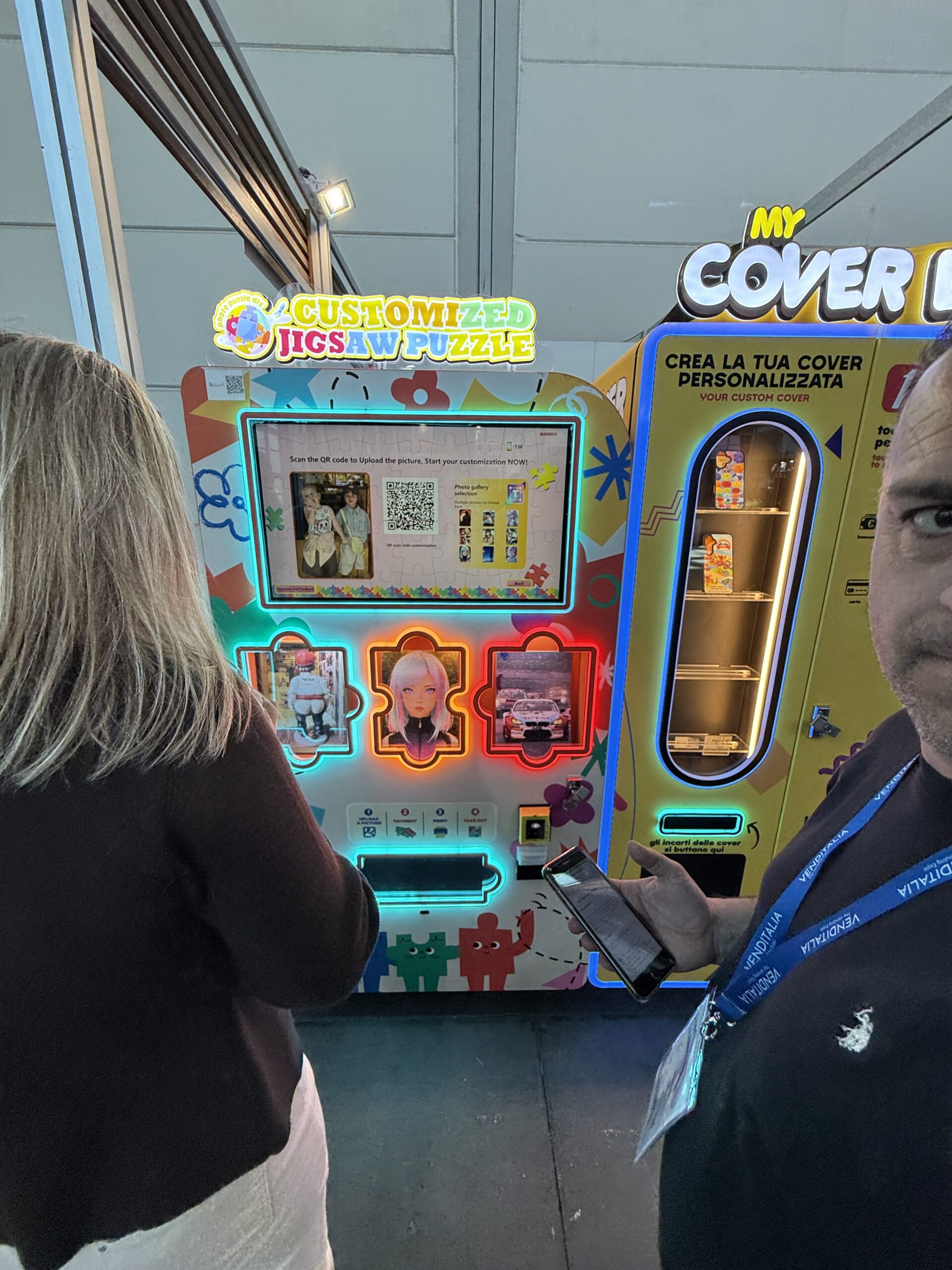
- Scan the code on the screen with your phone camera, which opens a page rather than requiring an app in most cases
- Choose your photo from your own library
- Position and crop it with a preview of the finished product
- Pick the product if the machine offers more than one
- Pay, almost always by card or phone
- Wait, typically three to eight minutes depending on what you chose
The wait is real and it is worth planning around. If you are at an attraction, start the order on your way out rather than while everybody is waiting to leave. If you are at an airport, do it once you know your gate rather than during boarding.
Choosing a Photo That Will Actually Print Well
The difference between a good result and a disappointing one is almost always the photo rather than the machine, and a few rules make it predictable.
- Bright beats dramatic. Photos taken in good light print far better than moody indoor ones. Shadow detail that looks fine on a bright phone screen frequently disappears entirely on a printed surface.
- Simple beats busy. One or two subjects fill the frame and read clearly. A wide group shot shrinks every face to something you cannot make out, which matters even more on a puzzle where the image gets broken up.
- Avoid heavy filters. Strong colour grading that looks striking on screen can print muddy, and skin tones are the first thing to suffer.
- Check the orientation. A landscape photo on a tall phone case means losing most of the sides. Pick an image that suits the shape of what you are making.
- Leave space around the subject. Every print loses a little at the edges, so a face right at the border will get clipped.
- Older photos may be smaller than you think. Pictures from a phone five or six years old have considerably lower resolution than recent ones, which is invisible until it is printed large.
If You Are Making It as a Gift
Which most people are, and a few things are worth thinking about that are not obvious while standing at the machine.
- A puzzle is the strongest gift on these machines. It fits everybody, there is no size or model to get wrong, and it is an activity rather than an object, which people remember.
- Think about who is in the photo. A picture of you and the recipient together lands better than a picture of you, which sounds obvious and is frequently got wrong in the moment.
- Check the packaging. Some machines deliver a product in a presentable box and some deliver it bare. If it is going straight to somebody, that matters.
- Phone cases need the recipient’s exact model. Not roughly the same phone. This is the most common way a gift from one of these machines goes wrong.
- Allow for the wait. If you are making something on the way to seeing somebody, build in the five to eight minutes rather than discovering it while running late.
Is It Worth the Money?
Depends entirely on what you compare it to, and most people compare it to the wrong thing.
Against a plain puzzle or a plain phone case from a shop, it looks expensive. Against ordering the same personalised item online, it is usually similar or slightly more, and you get it immediately instead of in a week.
The comparison that actually makes sense is the gift shop you are standing next to. A branded keyring nobody particularly wanted, against your own photograph of the day, made into something. On that basis these are frequently the best value thing in the building.
A Note on What You Print
Two things worth knowing, neither of which is obvious at the machine.
First, professional photographs are usually not yours to print, even when you are the person in them. School portraits and wedding photographs generally belong to the photographer rather than the subject, and machines will often decline them. Your own camera roll is simpler as well as better quality.
Second, the photo you upload goes to a server to be processed. Well run operators delete images shortly after printing, and if you want to know, the machine should tell you or the terms should. It is a reasonable thing to check when the photo is of your family.
Spotting a Well Run Machine
These machines vary more than ordinary vending, because the output depends on maintenance rather than just on stock. A few seconds of looking tells you whether to bother.
- Look at the display samples. The finished examples on show were printed by that machine. If they look faded, streaky or dull, yours will too, and this is by far the most reliable indicator available.
- Check the screen works properly. A cracked or unresponsive touchscreen suggests nobody has visited recently.
- See whether the lighting is fully working. These are designed around light, so dead sections mean maintenance is being skipped.
- Look for a service contact. A visible number or email is a good sign, and you will want it if anything goes wrong.
- If it is one of several, check whether the others work. A bank with two units out of order is one somebody has stopped looking after.
If Something Goes Wrong
- Find the contact details on the machine before walking away, since you will need them later
- Keep your payment confirmation, which makes a refund straightforward
- Tell the venue staff, who can usually reach the operator faster than you can
- Report it on the map so the next person knows
Using One With Children
A large share of the people using these are families, and it goes much better with a little planning.
- Let them choose the photo, within limits. Offering two or three options you have already picked avoids a long scroll through your camera roll while a queue forms behind you.
- The wait is the hard part. Five to eight minutes is a long time for a small child standing still. Start the order somewhere you can sit, or somewhere there is something else to look at.
- A keyring is a good first purchase. Cheapest option, quickest print, and it lets a child see the whole process without a long wait or a large spend.
- Puzzles suit older children better. A few hundred pieces is genuinely difficult for a young child, so check the piece count if it is a gift for someone small.
- Be ready for the second request. Where these stand in groups, a child who has watched one machine work will want to try the one beside it. Worth deciding your answer in advance.
Found One? Add It.
These are harder to track than ordinary machines because they sit inside other venues and what they make changes when an operator loads different blanks. If you come across one, note four things: where exactly it is, what products it offers, roughly what they cost, and how long the print took.
That last one is more useful than it sounds, because knowing whether to allow five minutes or fifteen is what decides whether somebody bothers. You can read more about what we are building on our about page, and how machines are rated on the score.
Want One Where You Are?
If you run an attraction, mall, cinema, campus or anywhere else people wait, these are popular with venues because they make waiting enjoyable rather than merely tolerable. You can put your site forward through our for locations page.
If you are thinking about operating machines, start at for operators. The machines themselves come from suppliers like VMFS USA, who build them around specific products and venues.
Frequently Asked Questions
How do I find a photo printing vending machine near me?
Check the live map first, then look wherever a venue makes people wait. Attraction exits, mall seating areas, airport gate areas, cinema lobbies and theme park queues are the most likely spots, because the print takes several minutes and only works where somebody has time.
How long does it take?
Typically three to eight minutes depending on the product, and you have to wait with it. Plan around that rather than starting an order when you are about to board or leave, and expect a queue at busy venues since a single machine can only make one thing at a time.
Why did my print come out blurry?
Almost always the source image. Screenshots, pictures saved from messaging apps and forwarded photos are compressed and lose detail, which is invisible on a phone screen and obvious when printed. Use the original from your camera roll and the difference is substantial.
Do I need to download an app?
Usually not. Most machines display a QR code that opens a web page in your phone’s browser, where you pick and crop the photo. You will need a working data connection though, so check you have signal at the machine before paying for anything.
Find One Near You
Search the live map for photo printing machines and everything else, and note what you find, including what the machine makes and how long it takes.